
Knot
Personal Reading Annotations
live · chrome web store · v1.0.0
Make meaning stick, right where you read.
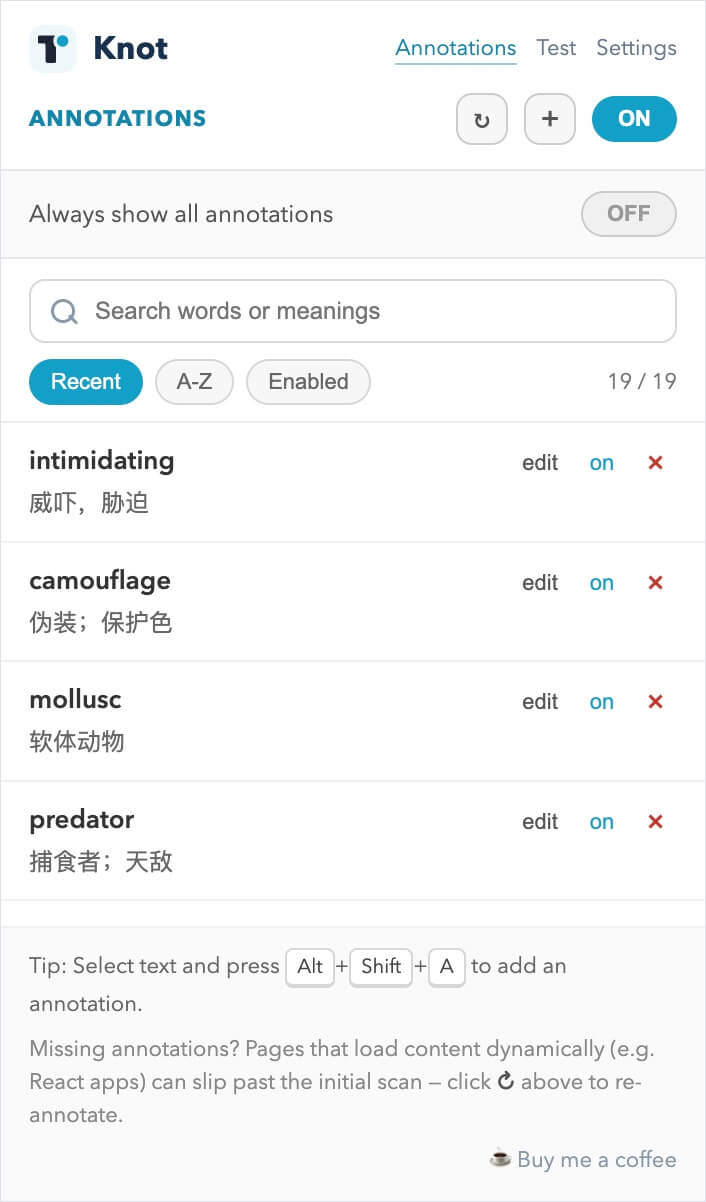
A lightweight reading companion for anyone working through a second language or dense technical writing. Save a word once with your meaning - Knot recognizes it on every page you read after that and quietly shows your note right where you need it.
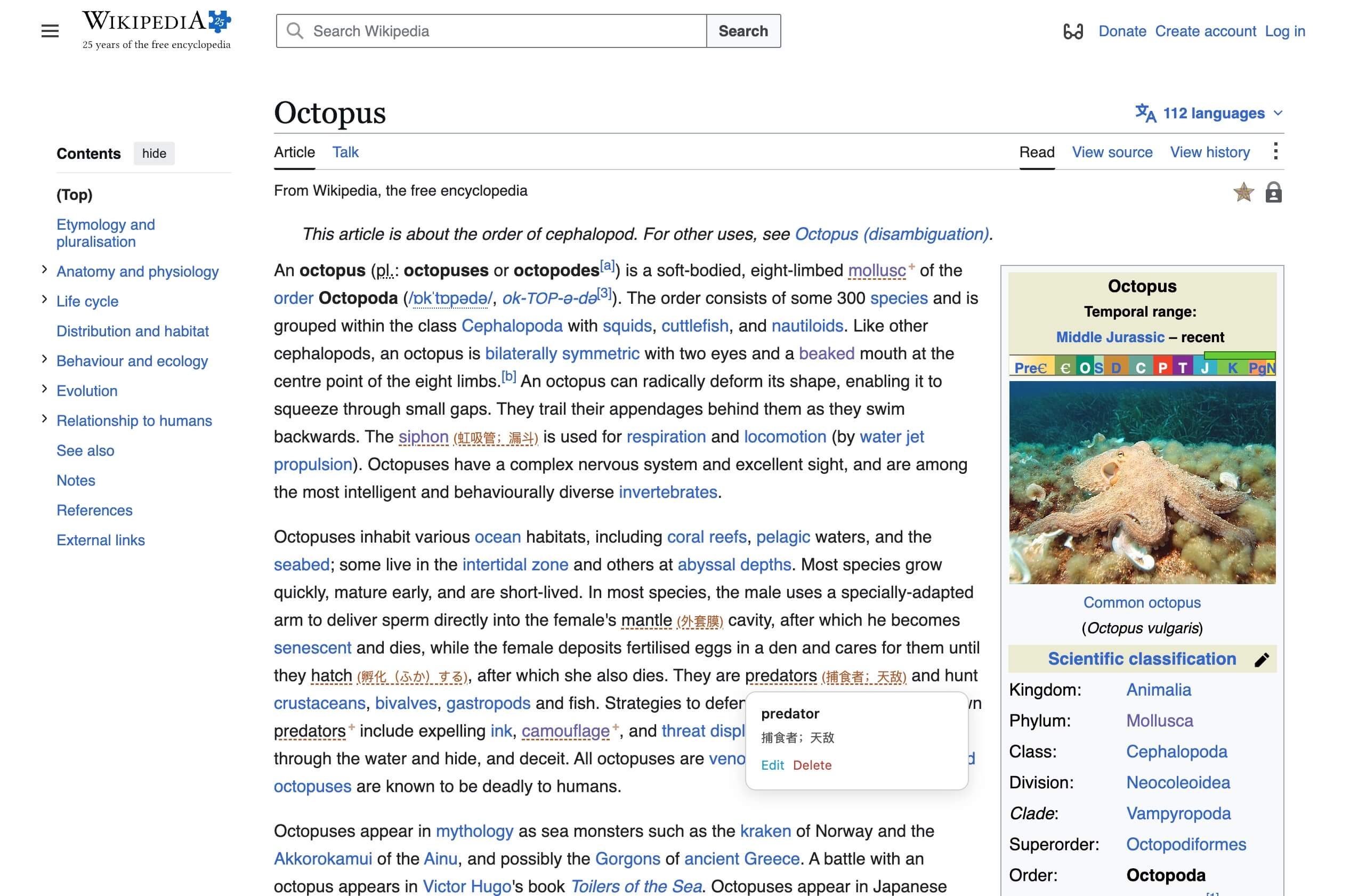
SEE IT IN THE WILD
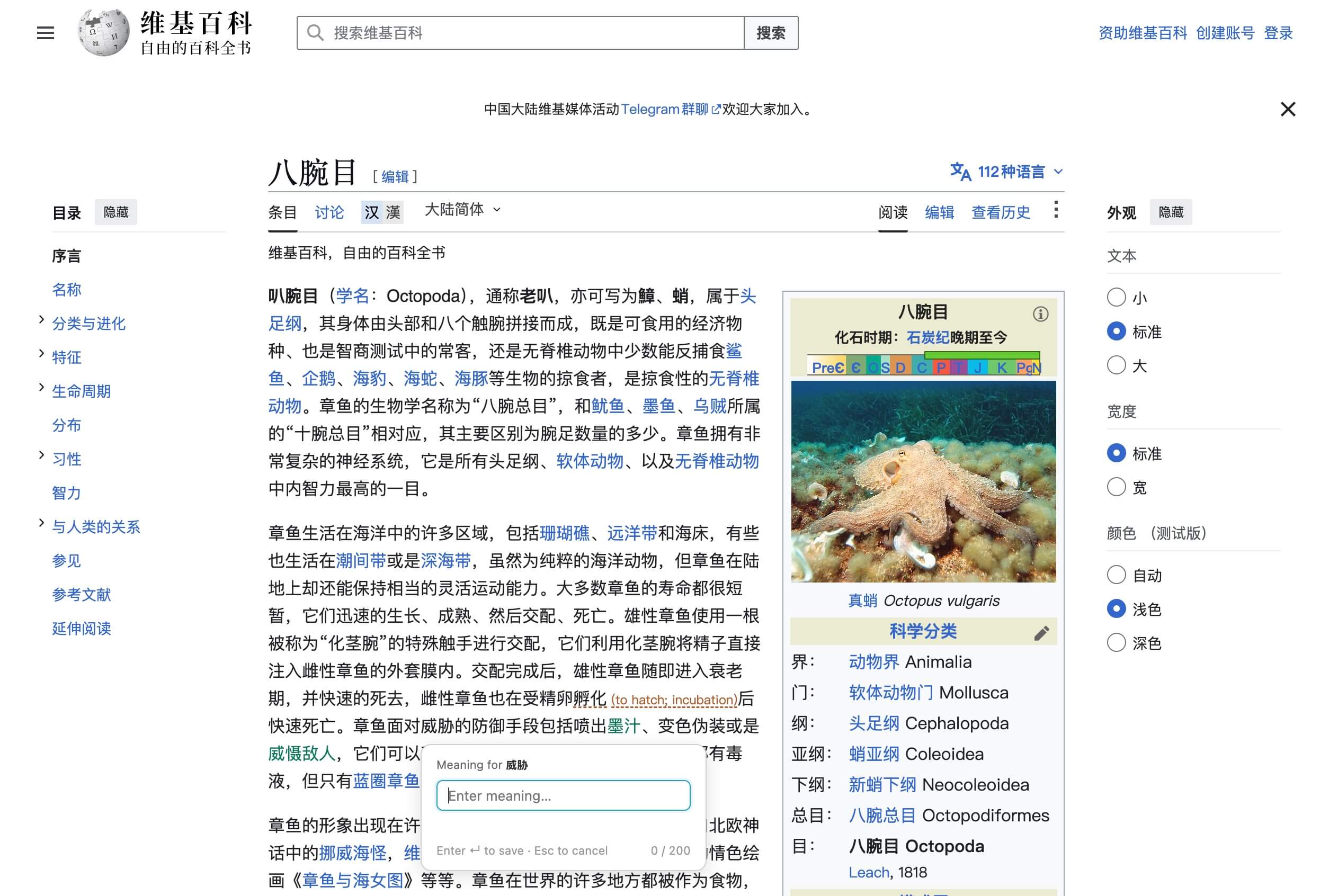
HOW IT WORKS
01
Select a word or phrase, right-click → Add Annotation - or press ⌥⇧A.
02
Type what it means to you, in the words you already understand.
03
On every future page, saved words are underlined with your meaning inline.
04
Click any annotated word to edit or remove it on the spot.
Progressive display keeps pages clean: the first occurrence shows the full meaning, repeats get a subtle underline with the meaning one click away.
WHAT'S IN IT
Read
- Inline or ruby (above-the-word) styles
- Custom underline color, style & size - live preview
- One-click re-annotate for pages that load late
Learn
- Built-in tests: word → meaning, or the reverse
- Typo-tolerant auto-scoring & weak-word tracking
- Per-word accuracy history: new → known
Yours
- Search, sort & bulk-manage from popup or manager
- Export / import the whole list as JSON or CSV
- Free, and works the moment you install it
VERSION1.0.0 · MV3
SHORTCUT⌥⇧A
PERMISSIONScontextMenus · storage · activeTab
PRICEeverything here, free forever
Knot isn't a dictionary or translator. It's deliberately simpler - a place for the meanings you chose, in the words you understand, shown exactly where you read.